MooseMail vs. Thunderbird
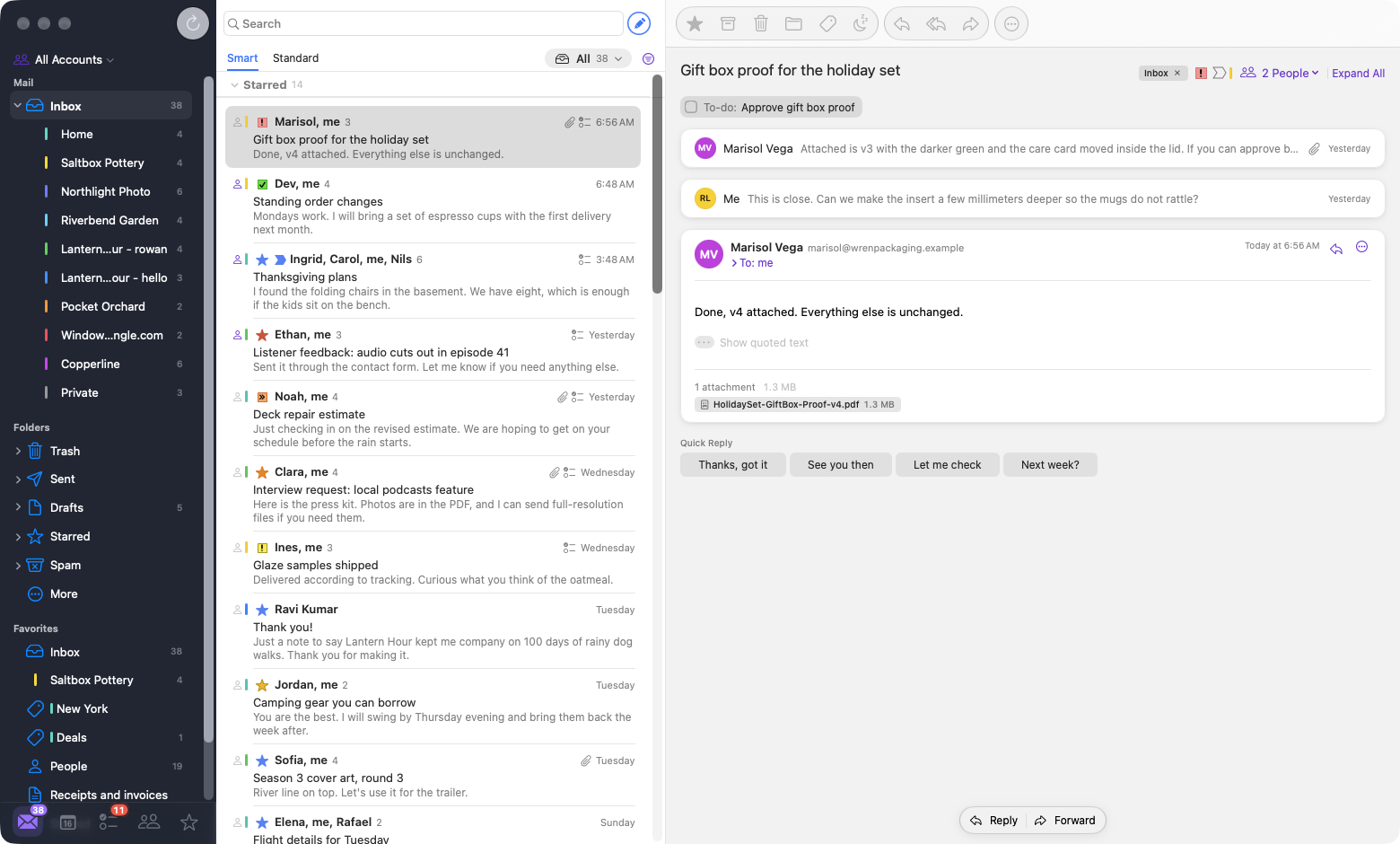
Thunderbird brings desktop extensions and freedom from license fees. MooseMail brings Gmail’s own controls and Microsoft calendars and contacts to both Mac and iPhone.
Who should choose each app
Choose MooseMail if you use a Mac and iPhone to handle the same email, calendar, and follow-up work, especially across Gmail and Microsoft 365. Choose Thunderbird if desktop extensions, Linux, or a free open-source client are more important to your workflow.
| What you do | MooseMail | Thunderbird |
|---|---|---|
| Organize a Gmail thread | Gmail API keeps several labels on one thread and shows Google’s categories. | Gmail over IMAP maps labels to folders. Mozilla documents folder subscriptions and All Mail storage tradeoffs. |
| Search Gmail | Run Gmail operators against Google’s server, alongside local search. | Search the Thunderbird mailbox, with offline coverage based on folders and mail downloaded. |
| Use Exchange Online | Microsoft Graph covers mail, calendars, and contacts where permissions allow. | Recent Thunderbird desktop versions use Graph for mail. Thunderbird’s support docs list Graph calendar and address book support as future work. |
| Use Fastmail | JMAP for mail and supported contacts, and CalDAV for calendar with an app password. | Fastmail documents IMAP mail and options to link calendars and address books during desktop setup. |
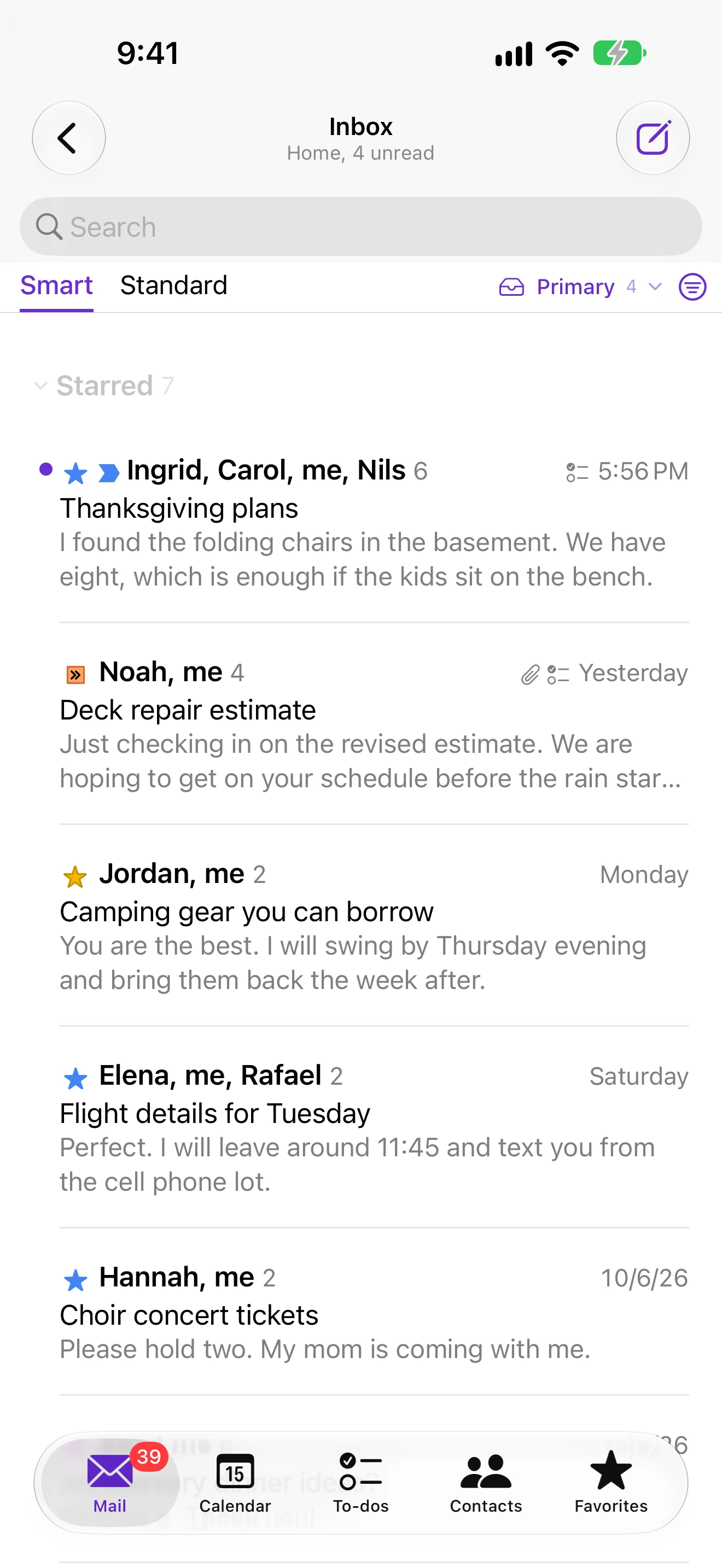
| Take your inbox and calendar on iPhone | Mail, Calendar, Contacts, and linked To-dos share one workspace on iPhone. | Android app is available. The iOS roadmap links to TestFlight and lists calendar support as exploration. |
What changes when a Gmail label looks like a folder
Mozilla explains that Thunderbird shows Gmail labels as IMAP folders. When a message has several labels it can appear in multiple Thunderbird folders, and synchronizing All Mail can increase local storage. Mozilla documents unsubscribing or changing which folders download content. In MooseMail you can work with labeled threads and Gmail’s own categories directly, and search for an older Gmail thread at Google even if the message body isn’t already downloaded. Thunderbird’s Gmail setup · MooseMail Gmail capabilities
Exchange mail and calendar access are separate decisions
Thunderbird’s Graph support is real. Its migration guide says Graph is available starting with version 154, and its protocol guide recommends 157 or newer and describes the integration as mail-only. If a Windows or Linux desktop is your main work device and you only need Microsoft mail, that can be enough. If you also need to find a Microsoft contact, edit an appointment, and return to the related mail on iPhone, MooseMail’s Graph services cover those three actions, subject to account permissions. Thunderbird Graph migration · Thunderbird’s current Graph coverage · MooseMail provider connections
Pick the desktop tools you actually depend on
Thunderbird’s add-ons can be the deciding factor. If an extension is part of how you route, label, or write email, test that job before switching. For a workflow you usually finish away from your desk, try opening an email-linked task on iPhone after looking at the day’s calendar. That’s where MooseMail’s built-in workspace adds more than a separate phone inbox. Thunderbird add-ons · Thunderbird iOS roadmap
Start on Mac and continue on iPhone
- Sort on MacTriage the inbox with keyboard shortcuts.
- Capture the next actionCreate a to-do that links to the source email.
- Return from iPhoneOpen the conversation from To-dos when you’re ready.
Pricing
| App | Free includes | Paid adds and price |
|---|---|---|
| MooseMail | $0 for up to two email accounts. All app features are included on Mac and iPhone. | Pro is $29.99 once for unlimited accounts on Mac and iPhone, with future features included. |
| Thunderbird | $0 for the open-source client, including desktop mail, calendar, and contacts. | The client has no paid tier. Donations are optional. |
Published US prices checked November 16, 2026, before tax. MooseMail pricing · Thunderbird project
Test before switching
Compare a two-label Gmail thread, a Microsoft 365 appointment, and a Fastmail folder you use daily. For each, check the desktop action and the matching action on iPhone. A desktop-only extension or a missing phone calendar can make the choice on its own.