MooseMail vs. Microsoft Outlook
Compare Outlook’s Exchange collaboration with MooseMail’s direct provider connections and email follow-ups across Microsoft, Google, and Fastmail.
Who should choose each app
Choose MooseMail if your work inbox is Microsoft 365 but much of the rest of your day is in Google Workspace, Fastmail, or other providers. Choose Outlook if a delegated mailbox, Room Finder, or your employer’s Outlook-only workflow determines whether you can do the job.
| What you do | MooseMail | Microsoft Outlook |
|---|---|---|
| Use Microsoft for work | Connect Outlook.com and Microsoft 365 mail, calendars, and contacts through Graph. | Supports Exchange delegation, shared mailboxes, Scheduling Assistant, and Room Finder on Mac. |
| Keep Gmail beside work mail | Direct Gmail API with labels, categories, filters, and search operators. Calendar and Contacts use Google services. | Supports Gmail and Microsoft Cloud sync for Google mail, calendar, and contacts. Microsoft documents Gmail labels displayed as folders on Mac. |
| Connect Fastmail or an IMAP account | JMAP for supported providers, or IMAP and SMTP for mail. Compatible calendars can connect via CalDAV. | Outlook documents IMAP mail, with no calendar or contact sync through IMAP. |
| Make an email a task | Create a linked To-do from any connected email and reopen it on Mac or iPhone. | Microsoft To Do can turn flags in a supported primary Microsoft mailbox into tasks with an Outlook link. |
| Decide where account data goes | Fetches from providers and keeps downloaded messages and attachments on the device. | Microsoft Cloud sync copies supported non-Microsoft account data to Microsoft data centers. Outlook for Mac documents an opt-out during setup. |
Outlook goes deeper into delegated Exchange work
If you answer as a manager or book rooms for a team, Outlook has specific controls that matter. A delegate can respond to meeting requests on someone else’s behalf, and Outlook for Mac pairs its Scheduling Assistant with Room Finder. MooseMail’s Graph integration brings your permitted Microsoft calendar and contacts together with other providers. Try a real delegated meeting and a shared mailbox before deciding which setup fits the work you do. Outlook delegation · Outlook room scheduling
Gmail access comes with a data and workflow choice
Microsoft’s guide says Outlook for Mac can sync Google mail, calendars, and contacts to Microsoft’s cloud, and it documents how to disable that option during setup. Its troubleshooting guide says Gmail labels appear as folders. MooseMail connects to Google directly, so you can use the Gmail categories, labels, and queries already part of your work. This is worth testing if you manage one Microsoft inbox for work but search years of Gmail history for client context. Microsoft Cloud sync · Setup without Cloud sync · Microsoft’s Google account limitations
Flag an Outlook message or capture across providers
Microsoft To Do’s flagged-email workflow is effective when the message lives in your primary Microsoft mailbox. Microsoft documents that shared mailboxes and shared folders aren’t included. MooseMail handles follow-ups in its own To-dos, so a follow-up can begin with the Google, Microsoft, or JMAP email you’re reading and keep a link to it. If your team already works in Microsoft To Do, check how it expects you to manage tasks before choosing. Microsoft To Do and flagged mail · MooseMail To-dos
Microsoft and Google in the same app
- Read the work requestFind the message in your Outlook or Microsoft 365 inbox.
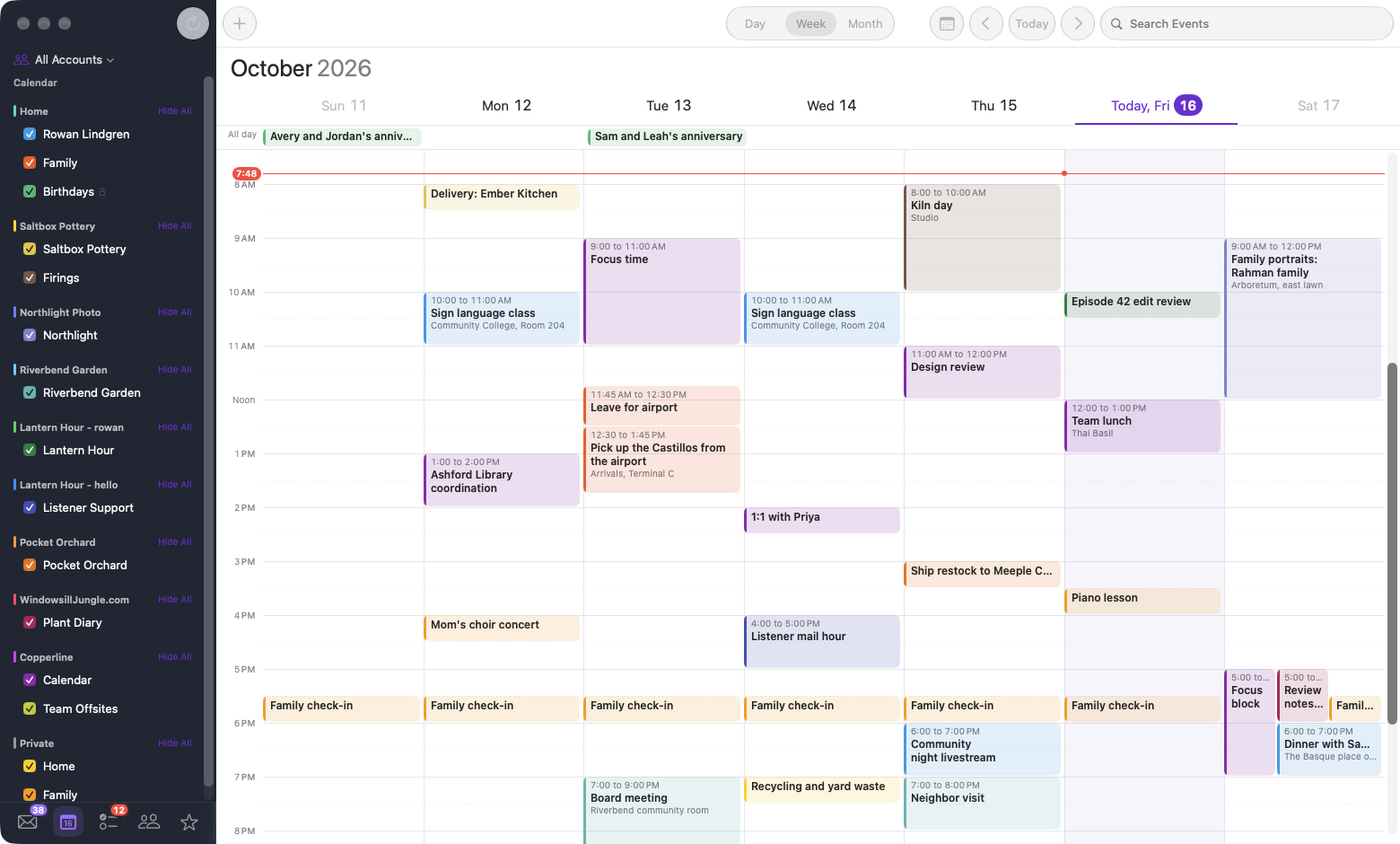
- Check availabilityView the connected Microsoft and Google calendars.
- Reply from the right accountUse the sending address you want for the conversation.
Pricing
| App | Free includes | Paid adds and price |
|---|---|---|
| MooseMail | $0 for up to two email accounts. All app features are included on Mac and iPhone. | Pro is $29.99 once for unlimited accounts on Mac and iPhone, with future features included. |
| Microsoft Outlook | $0 for Outlook mail and calendar. An Outlook.com mailbox includes 15 GB. | Microsoft 365 Basic is $19.99/year or $1.99/month for ad-free Outlook and a 100 GB mailbox. Personal is regularly $99.99/year and adds desktop Office apps and 1 TB of cloud storage. Family is $129.99/year for up to six people. |
Published US prices checked November 16, 2026, before tax. MooseMail pricing · Microsoft Outlook pricing
Test before switching
In Outlook, open a delegated invitation or book a room if that’s part of your job. In MooseMail, look up the attendee in Microsoft Contacts, open the schedule beside a Google calendar, and create an email-linked follow-up from whichever account received the thread.