MooseMail vs. Mimestream
Both preserve Gmail’s workflow. Choose based on whether Gmail is your whole setup or one part of your work across Mac and iPhone.
Who should choose each app
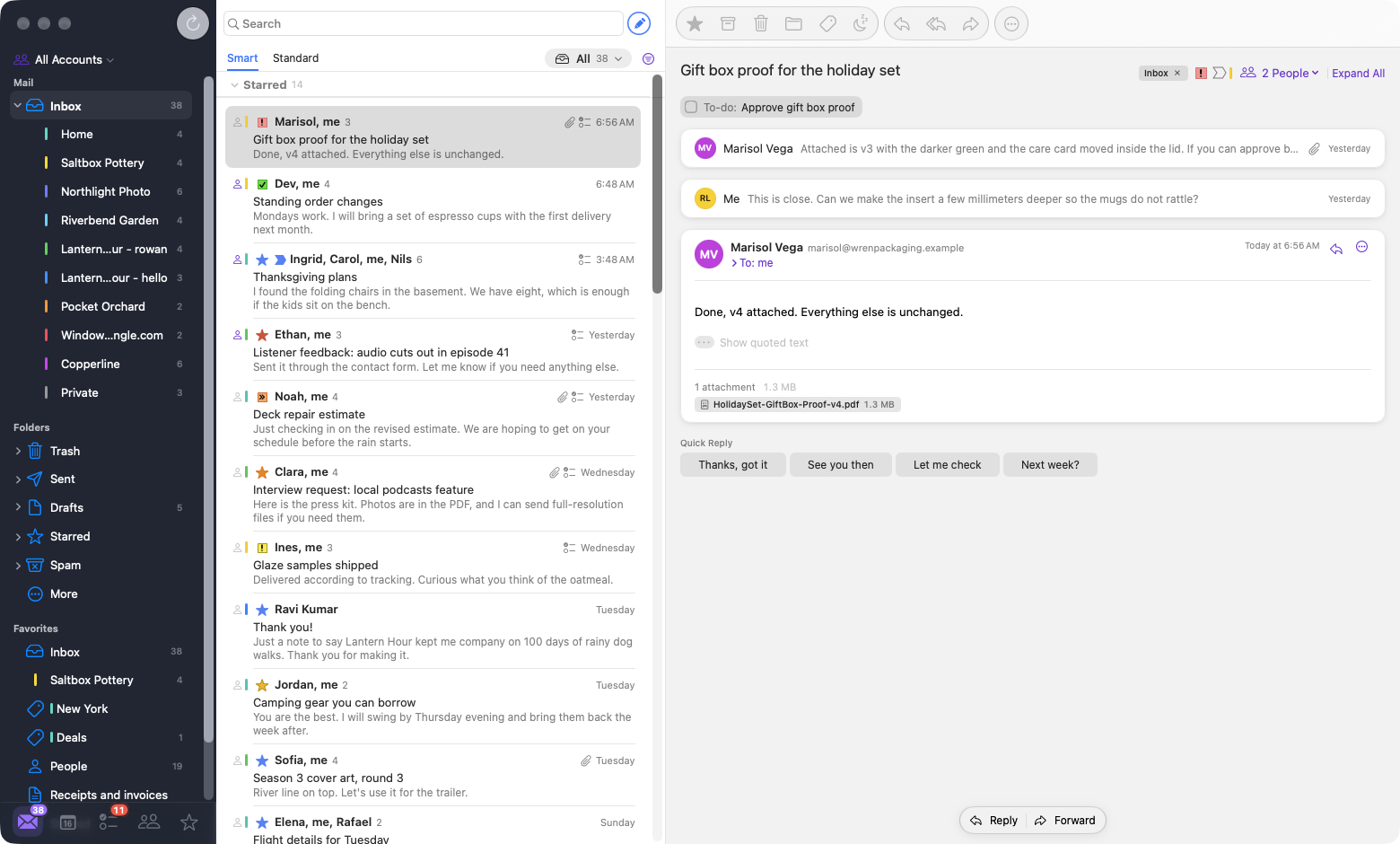
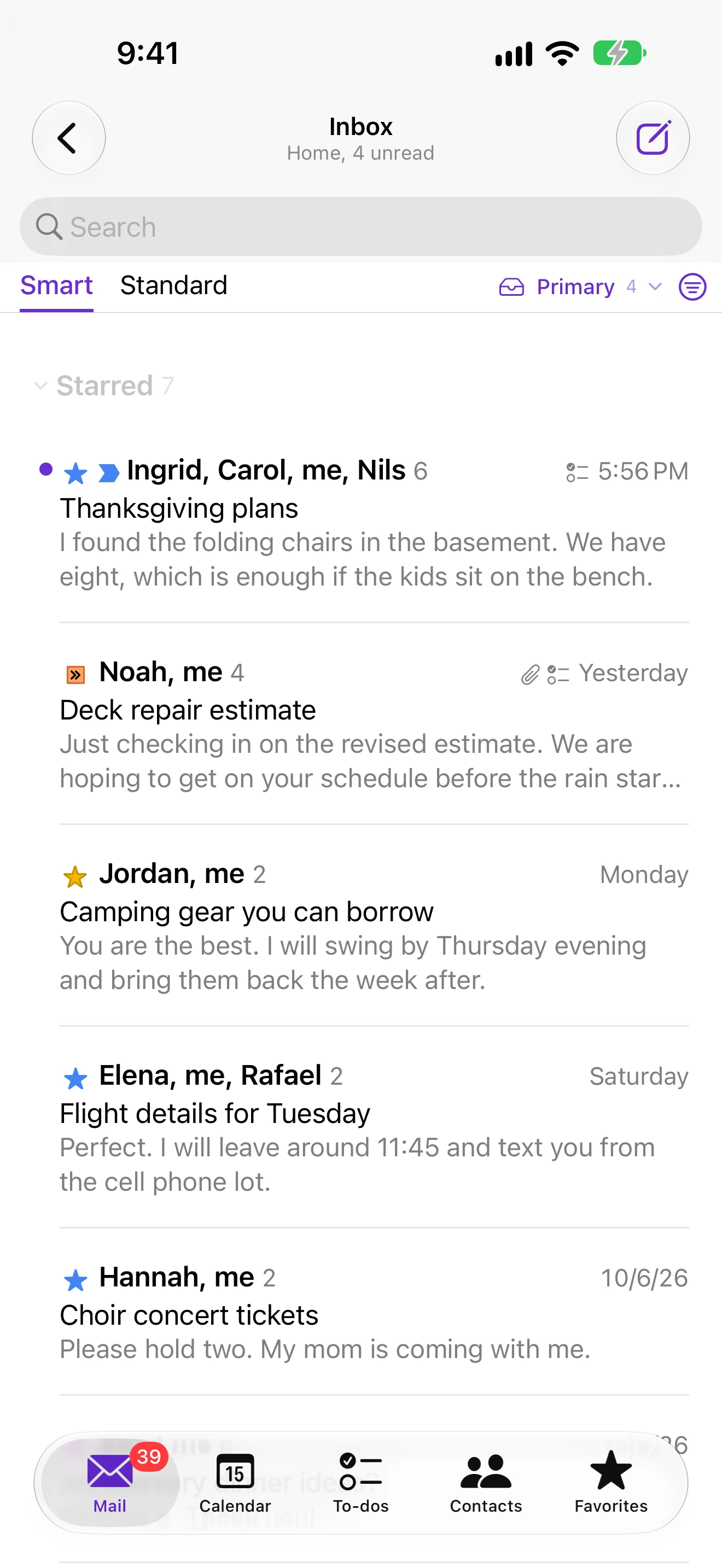
Choose MooseMail if you use Gmail or Google Workspace alongside Microsoft 365 or Fastmail, or if you want to work through mail, calendars, contacts, and email-linked to-dos on Mac and iPhone. Choose Mimestream if your inboxes are all Google and your priorities are per-label visibility, profiles, and Mac Focus controls.
| What you do | MooseMail | Mimestream |
|---|---|---|
| Organize a Gmail thread | Apply multiple Gmail labels, browse provider categories, and find the thread with Gmail search operators. | Apply multiple labels and control their color, sidebar and message-list visibility. Gmail search syntax and token-based search are documented. |
| Automate Gmail filing | Manage supported Gmail filters that run on Google’s servers. | Manage server-side Gmail filters and vacation settings with its Gmail Settings service. |
| Handle a Google invitation | Respond to invites and browse and edit Google Calendar events in a dedicated calendar. | Its Google Calendar connection adds an invitation banner for responding from the email. |
| Find or update a person | Use the Contacts workspace to look up, edit, or organize supported Google and Microsoft contacts. | Google Contacts adds profile photos, contact suggestions, and Workspace Directory autocomplete in mail. |
| Continue on your phone | Mail, Calendar, Contacts, and To-dos are part of the iPhone app, including a route from a to-do back to its email. | The iPhone and iPad apps are in TestFlight with subscriber eligibility requirements. |
How far the Gmail workflow goes
Both clients use the Gmail API. If a vendor thread belongs under both Invoices and Q4, both can keep those labels. A query such as label:invoices has:attachment makes sense in either app. Mimestream goes further into Gmail-specific presentation with separate controls for label visibility and profiles you can tie to macOS Focus. If you manage several Google accounts and want one silent while you work in another, that’s a reason to choose it. Mimestream labels · Search · Profiles and Focus
MooseMail’s advantage shows up after you find the thread. Move from a Google invitation into the week view, check a Microsoft work calendar beside it, and enter a follow-up that opens the original thread. Mimestream’s optional Google Calendar access covers invitation responses, and its optional Contacts access improves addressing. Choose based on whether those actions cover what you do every day or you also want the calendar and address book themselves in the app. Mimestream Google services
When a second provider changes the decision
Mimestream supports personal Gmail and Google Workspace. MooseMail uses Microsoft Graph for Outlook.com and Microsoft 365, JMAP for supported mail providers including Fastmail, and IMAP and SMTP for conventional accounts. That means a Gmail label stays useful even when the decision depends on an Outlook appointment or a Fastmail conversation. Exact calendar and contact capabilities depend on the provider and account permissions. Mimestream supported accounts · MooseMail provider connections
When a Gmail thread becomes a follow-up
- Find the threadRun a Gmail query using a sender, subject, or label.
- Check the calendarOpen your Google or Microsoft calendar beside the rest of your accounts.
- Keep the sourceCreate a linked to-do and reopen the same conversation from it.
Pricing
| App | Free includes | Paid adds and price |
|---|---|---|
| MooseMail | $0 for up to two email accounts. All app features are included on Mac and iPhone. | Pro is $29.99 once for unlimited accounts on Mac and iPhone, with future features included. |
| Mimestream | 14-day full trial. Continued use requires a subscription. | Individual is $49.99/year or $4.99/month. Includes all your Google accounts and immediate family sharing within a five-device limit. |
Published US prices checked November 16, 2026, before tax. MooseMail pricing · Mimestream pricing
-
MooseMail Pro, one-time upgrade$29.99
-
Mimestream Individual, annual billing$149.97
Illustrative totals before tax. Assumes three years at the standard annual rate listed on November 16, 2026. Trials, promotions, and family or team licensing aren’t included.
Test before switching
On Mac, pick a thread with two labels and search by one label and attachment. Check which email and calendar accounts you need to act on it. On iPhone, try opening that thread from a To-do in MooseMail. If you’re testing Mimestream on iPhone, check your plan’s beta eligibility first.