MooseMail vs. eM Client
Both bring mail, calendar, contacts, and tasks together. What differs is how they connect to your providers, which devices they cover, and how you pay.
Who should choose each app
Choose MooseMail if you work on Mac and iPhone, want a provider-native Fastmail or JMAP account, and want a one-time upgrade to cover both devices and future features. Choose eM Client if you need Windows or Android, or if its Notes, Quick Actions, or existing Google and Microsoft workflows already do the job.
| What you do | MooseMail | eM Client |
|---|---|---|
| Handle labels and categories in Gmail | Gmail API with provider labels, categories, filters, and Gmail search syntax. | Maps Gmail labels to tags and syncs Gmail categories. Documents server search for compatible accounts. |
| Connect Microsoft 365 | Microsoft Graph for Outlook.com and Microsoft 365 mail, calendars, and contacts. | eM Client 11 uses Microsoft Graph for Microsoft 365 and Exchange Online. It documents automatic migration from EWS. |
| Connect Fastmail | JMAP for mail and supported contacts, with CalDAV for calendar. | Fastmail documents OAuth for mail and separate CalDAV and CardDAV setup for calendars and contacts. |
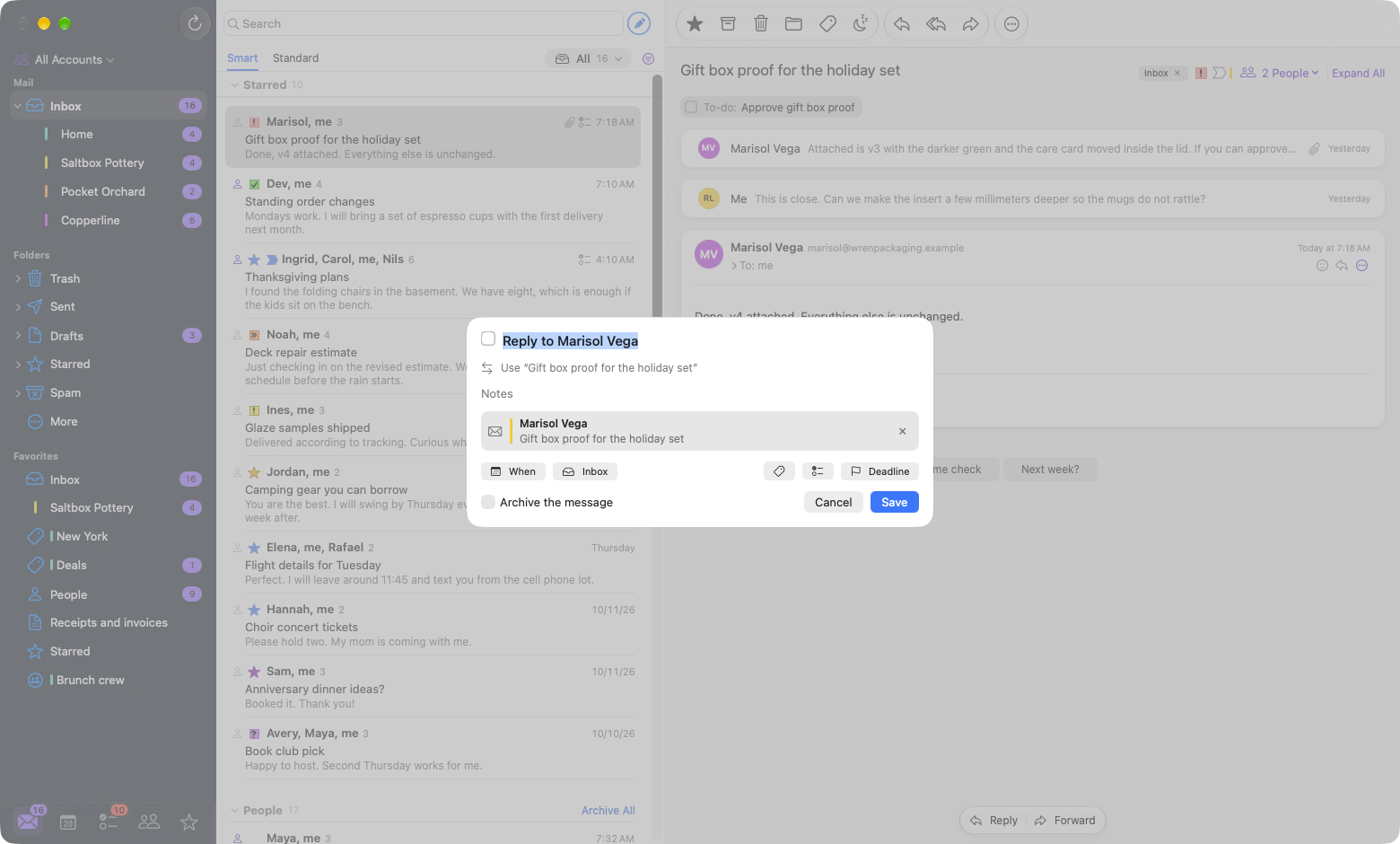
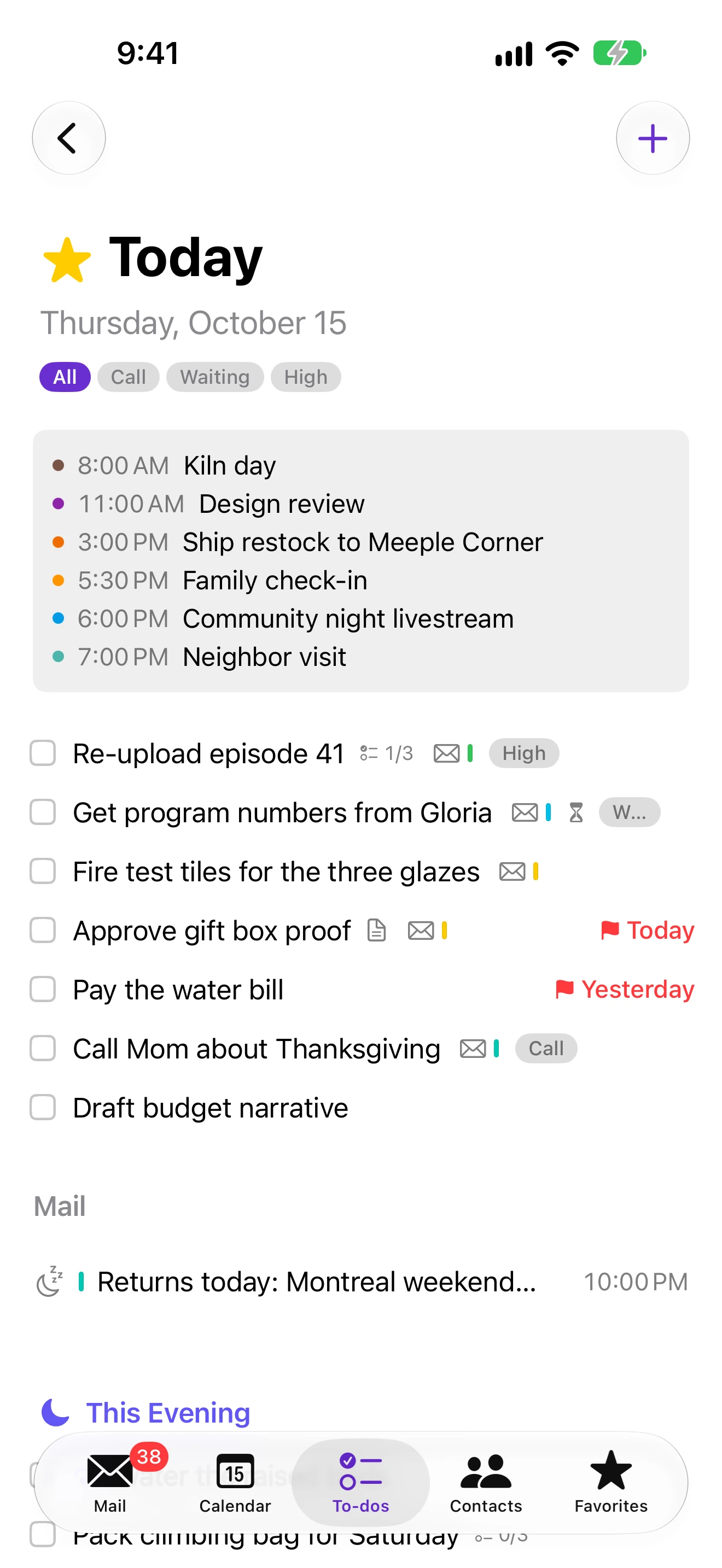
| Turn a message into work | Save a task with a durable email link, and reopen the thread from To-dos on iPhone. | Desktop offers Create Task from Message. Its mobile app has tasks and notes. |
| Choose a platform | Native Mac and iPhone versions of mail, calendar, contacts, and linked to-dos. | Desktop apps for Mac and Windows, with iOS and Android apps that also offer calendar, contacts, tasks, and notes. |
Both clients preserve important Gmail and Microsoft features
eM Client documents Gmail tags, server-synced Gmail categories, and server search where the account supports it. It has also released Graph support for Microsoft 365 and Exchange Online. If you’re already using those features, compare the actions you repeat. In MooseMail you can paste a Gmail operator query, make a Microsoft calendar edit, and keep the follow-up in To-dos on your iPhone. In eM Client you may prefer Quick Actions that combine repeated desktop actions such as moving, tagging, or flagging. eM Client categories · Gmail tags and server search · Graph migration · Quick Actions
Fastmail is a useful side-by-side test
Fastmail’s setup guide for eM Client supports email, calendars, and contacts, with separate CalDAV and CardDAV setup for the latter two. MooseMail can use JMAP for email and supported contacts. Its Fastmail calendar still connects separately over CalDAV. Try the mail folders and identities you use, and check whether the appointment you changed shows up in Fastmail after saving. For a self-hosted JMAP server, check its capabilities directly. Fastmail setup for eM Client · MooseMail Fastmail and JMAP connections
The follow-up test is about returning to the email
eM Client can create a task from a desktop message, and its mobile app includes a Tasks view. In MooseMail the task keeps a link to the original conversation. If private iCloud sync is on, the task is available on your other device, with the original email accessible when the matching account is configured. Test that last step, especially if you archive or move the email before you finish the follow-up. eM Client task creation · Mobile features · MooseMail To-dos
Keep the email attached to the task
- CaptureCreate a to-do directly from the message on Mac.
- ContinueOpen the to-do on iPhone with private iCloud sync enabled.
- ResolveReturn to the original conversation to reply or check the details.
Pricing
| App | Free includes | Paid adds and price |
|---|---|---|
| MooseMail | $0 for up to two email accounts. All app features are included on Mac and iPhone. | Pro is $29.99 once for unlimited accounts on Mac and iPhone, with future features included. |
| eM Client | $0 for two desktop accounts on one device for home use. The iPhone and Android apps are free without a desktop license. | Desktop Personal is $49.95/year or $74.95 once for unlimited accounts on up to three devices. Business is $59.95/year or $89.95 once per device. One-time licenses cover the purchased major version unless you add Lifetime Upgrades. |
Published US prices checked November 16, 2026, before tax. MooseMail pricing · eM Client pricing
Test before switching
Create a task from a message on Mac, archive the message, then pick up the task on iPhone. Try your hardest Gmail search and a Microsoft or Fastmail calendar change in both clients. If you do the same work from Windows or Android, include that device in your decision too.