MooseMail vs. Apple Mail
Keep Apple Mail for the familiar system setup, or choose MooseMail for Gmail-native organization and one place to handle mail, calendars, contacts, and tasks.
Who should choose each app
Choose MooseMail if you switch between Google and Microsoft accounts or rely on Gmail’s labels and filters. Choose Apple Mail if you like the Mail, Calendar, Contacts, and Reminders apps you already use and prefer the system’s automatic sorting and account setup.
| What you do | MooseMail | Apple Mail and Apple’s built-in apps |
|---|---|---|
| Find invoices or newsletters | Use Gmail’s own inbox categories or filter by Gmail labels. | Mail sorts messages into Primary, Transactions, Updates, and Promotions and can group non-primary messages by sender. |
| Find a specific old thread | Send queries with Gmail operators to Google for a connected Gmail account. | Mail on Mac combines search filters such as sender or subject, and supports searches in one or all mailboxes. |
| Automate inbox filing | Manage supported Gmail filters that keep running on Google’s servers. | Mail on Mac offers rules and Smart Mailboxes. Use iCloud Mail’s own rules for iCloud mail if you want server-side filing. |
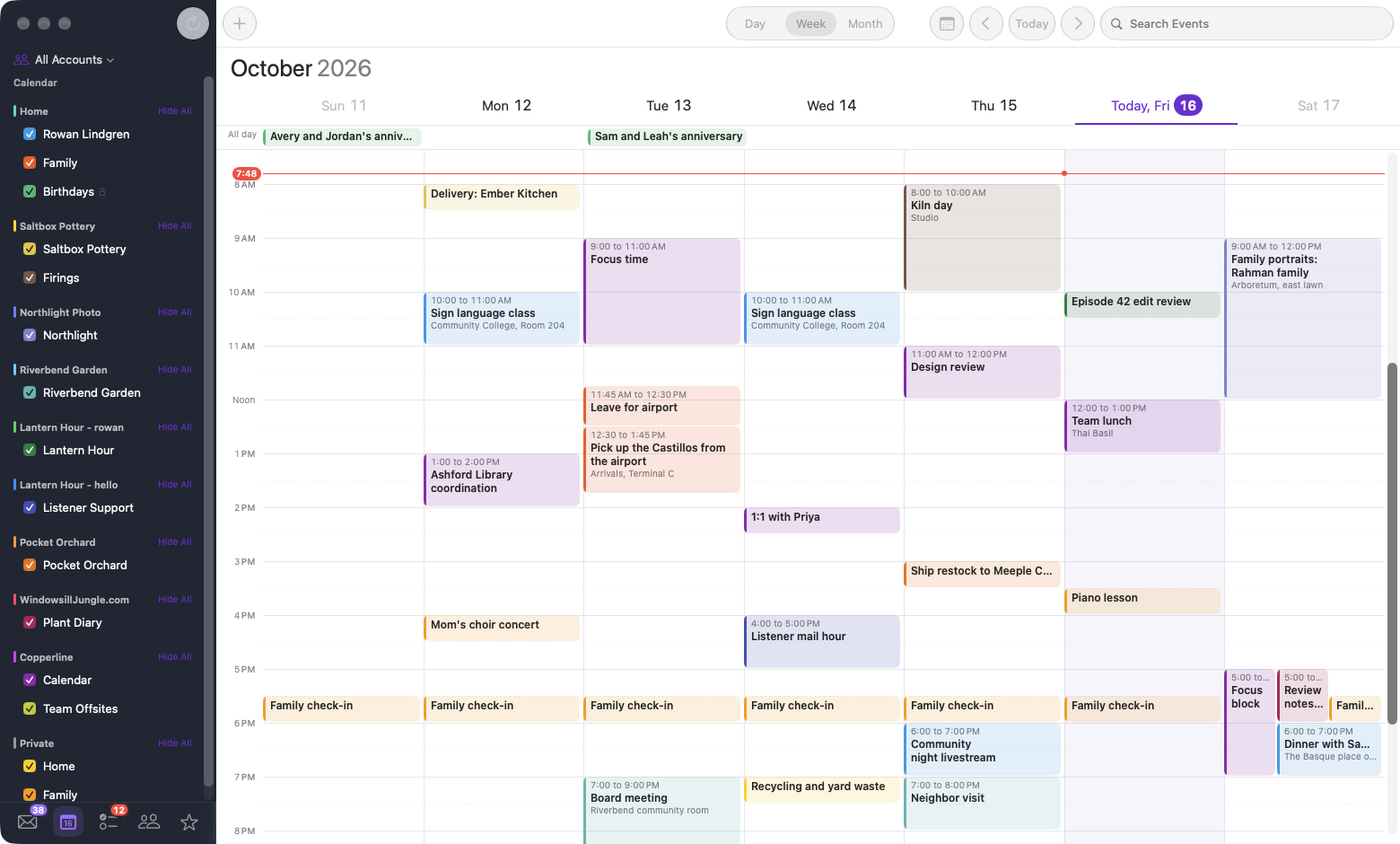
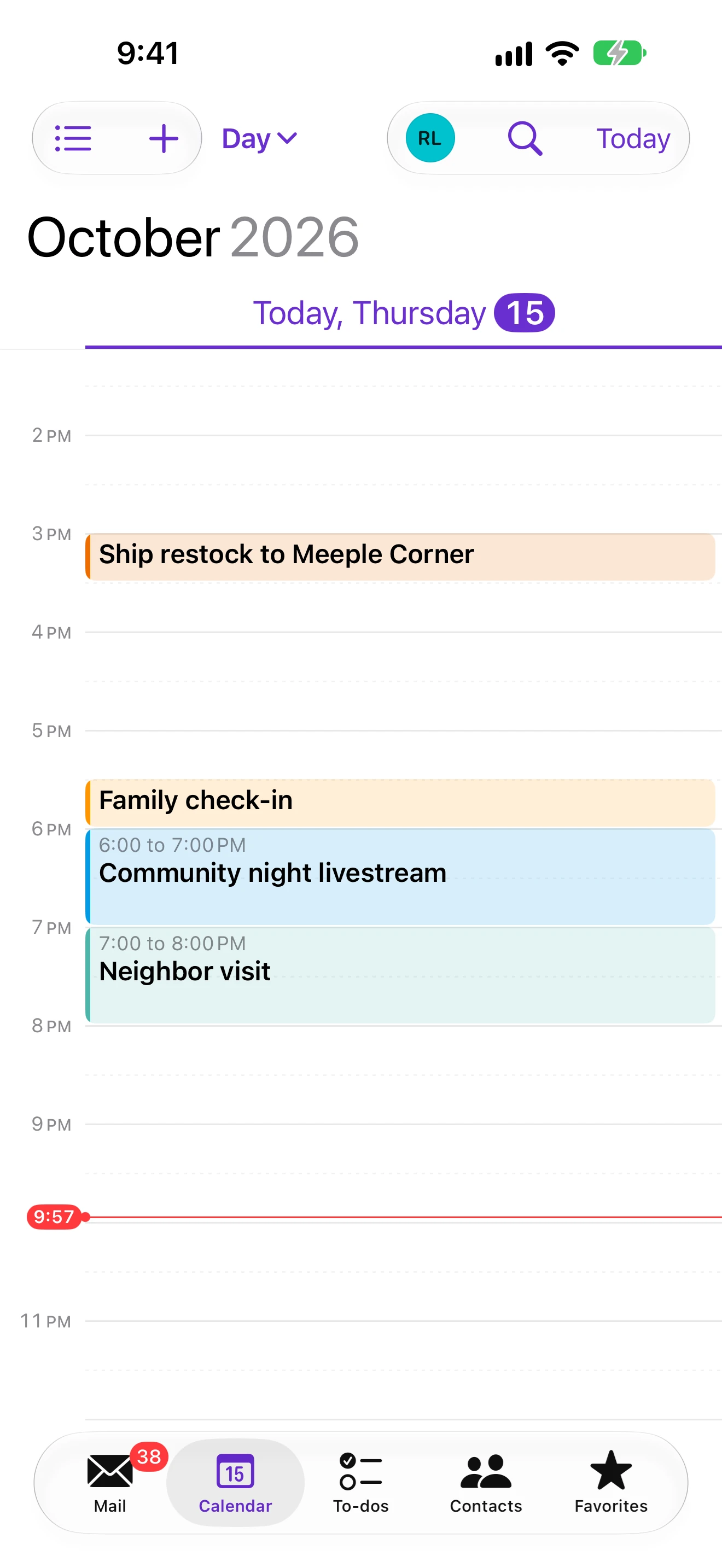
| Schedule after reading | View calendars from connected providers and look up their contacts in the same app. | Enable account services in system settings, then use the separate Calendar and Contacts apps. |
| Take action later | Create a To-do with a deadline, checklist, and link to the email. Open it on Mac or iPhone with private iCloud sync enabled. | Remind Me brings a message back to the inbox. Apple also documents suggested events or reminders on supported Apple Intelligence devices. |
How categories and rules affect the same message
A receipt can appear under Transactions in Apple Mail and Updates in Gmail. Apple Mail lets you recategorize a sender and see a digest of their messages. That works well when you want a similar inbox view across different providers. In MooseMail, choosing a Gmail category displays the category Google assigned, and a thread can keep separate labels for Receipts and Travel. A Gmail filter you save from MooseMail can make those labels available wherever you use Gmail. Apple’s Mac categories and rules · Apple’s iPhone categories · MooseMail Gmail capabilities
From a message to a scheduled action
Remind Me is useful when the next action is to read the email again. If a quote needs a review, an approval, and a reminder due Friday, MooseMail gives that work its own To-do. Add the steps, check your calendar, and reopen the original email when you’re ready. Apple’s separate apps offer their own scheduling and task workflows. Try whichever you’d actually open first when following up on your phone. Apple Mail on iPhone · MooseMail To-dos
When account setup matters more
Apple’s system accounts are convenient if you already use Exchange or iCloud across its apps. MooseMail uses Graph for Outlook.com and Microsoft 365 mail, calendars, and contacts where permissions allow. It connects to Google’s mail, calendar, and contacts APIs and can use JMAP for compatible providers. These connections matter most when you switch between providers several times to finish one job. Apple’s Mac starter guide · MooseMail provider connections
From a message to a calendar decision
- Read the invitationOpen the email in the account that received it.
- Check your weekLook at connected calendars in the same app.
- Keep the next actionLink a follow-up to the source conversation.
Pricing
| App | Free includes | Paid adds and price |
|---|---|---|
| MooseMail | $0 for up to two email accounts. All app features are included on Mac and iPhone. | Pro is $29.99 once for unlimited accounts on Mac and iPhone, with future features included. |
| Apple Mail | $0. Included with macOS and iOS. | Optional iCloud+ starts at $0.99/month for 50 GB of storage and includes custom domains for iCloud Mail. |
Published US prices checked November 16, 2026, before tax. MooseMail pricing · Apple Mail on the App Store
Test before switching
Take a confirmation with more than one Gmail label, an invitation on a different account, and an email that needs a follow-up. On both devices, check which category shows the confirmation, where you see the invitation on your calendar, and how you get back to the email when the follow-up is due.